Author: Muskan Mirza

  • The Economics of SEO: When SEO Is Actually a Bad Investment

    The Economics of SEO: When SEO Is Actually a Bad Investment

    Introduction

    Most people think SEO is always a smart investment. They hear stories about businesses getting thousands of visitors from Google without paying for ads. Because of that, many business owners believe SEO is something every company should do.

    The reality is different.

    SEO is not free. It costs time, money, and effort. You may spend months creating content, improving your website, fixing technical issues, and building authority before seeing meaningful results. If your business is not the right fit, that investment may never pay back.

    The question is not, “Should I do SEO?”

    The better question is, “Will SEO make my business more profitable?”

    That is the real economics of SEO. Every business should calculate the return before investing.

    SEO Is an Investment, Not a Magic Solution

    Think of SEO like buying a commercial property.

    You pay today because you expect it to generate income in the future. If the property grows in value and earns rent, it becomes a good investment. If it stays empty for years, it becomes a financial burden.

    SEO works the same way.

    You invest in content, technical improvements, website optimization, and authority building because you expect Google to send qualified visitors who eventually become customers.

    The important word here is eventually.

    SEO usually takes time. Some businesses see results within a few months, while others may need much longer depending on their industry and competition. If your business needs immediate revenue, SEO alone is rarely the right answer.

    Start With the Numbers, Not the Rankings

    Many business owners ask questions like:

    • How many keywords will I rank for?
    • How many blogs should I publish?
    • How many backlinks do I need?

    Those questions matter, but they should come later.

    The first question should always be about money.

    For example, imagine your business spends ₹40,000 every month on SEO.

    Now ask yourself:

    • How many extra customers do I need every month?
    • How much profit do I make from one customer?
    • How long can I invest before expecting results?

    If one customer gives you ₹80,000 in profit, SEO may become profitable with just one additional client every month.

    If one sale earns only ₹300, you may need hundreds of extra orders before recovering your SEO cost.

    This simple calculation changes everything.

    When SEO Is a Bad Investment

    SEO is powerful, but it is not suitable for every business. There are situations where your money will produce better results elsewhere.

    1. Your Business Needs Sales Right Now

    A newly opened café cannot wait six months for Google rankings.

    A new dental clinic cannot keep staff waiting while organic traffic slowly grows.

    A startup with only three months of cash cannot depend entirely on SEO.

    In these situations, faster marketing channels usually make more sense.

    These include:

    • Google Ads
    • Meta Ads
    • Local advertising
    • Referral programs
    • Email campaigns
    • Google Business Profile optimization

    SEO can still be part of your strategy, but it should support your growth rather than carry the entire business.

    2. Nobody Is Searching for Your Product

    SEO depends on search demand.

    If people are not searching for your product or service, ranking on Google will not generate meaningful traffic.

    Imagine you invent a completely new product that nobody knows exists.

    People cannot search for something they have never heard about.

    Instead of SEO, you may need to focus on creating awareness through videos, social media, influencers, public relations, or paid advertising.

    Before investing in SEO, always check whether people are actually searching for your target keywords.

    Low Profit Businesses Need Extra Care

    Not every business earns enough profit to justify long term SEO.

    Imagine two businesses.

    Business A sells luxury interior design projects worth ₹15 lakh.

    Business B sells mobile accessories worth ₹250.

    Both spend ₹50,000 every month on SEO.

    Business A may recover its investment from one additional customer.

    Business B may need hundreds of extra sales every month just to break even.

    The SEO work might be equally good for both businesses.

    The financial result will not be.

    That is why profit margin matters more than website traffic.

    Traffic Does Not Mean Revenue

    Many businesses celebrate higher traffic.

    They proudly say their website now gets 20,000 visitors every month.

    But then you ask another question.

    How many customers came from those visitors?

    Sometimes the answer is surprisingly low.

    More traffic does not automatically mean more sales.

    Your website also needs to convince visitors to take action.

    Before investing more in SEO, check whether your website has:

    • Fast loading speed
    • Clear navigation
    • Strong calls to action
    • Mobile friendly design
    • Trust signals like reviews and case studies
    • Simple contact forms

    If visitors leave without contacting you, improving rankings alone will not solve the problem.

    Highly Competitive Markets Can Become Expensive

    Some industries have intense SEO competition.

    Examples include:

    • Insurance
    • Finance
    • Real estate
    • Travel
    • Web hosting
    • Digital marketing

    Large companies invest lakhs or even crores every year into SEO.

    Trying to compete with them for broad keywords can become expensive and frustrating.

    A smarter strategy is to focus on specific services or locations.

    For example, instead of trying to rank for “real estate,” a local agency could target searches related to a particular city, locality, or property type.

    Less competition often means faster progress and better quality leads.

    The Biggest Mistake Businesses Make

    One of the biggest mistakes is expecting SEO to work in three months.

    Many business owners invest for a short period.

    They publish a few blogs.

    They optimize a few pages.

    Then they stop because they do not see immediate results.

    SEO rewards consistency.

    Search engines look for websites that continue improving over time.

    Stopping too early often means losing your investment before it has the chance to generate returns.

    If your budget only allows SEO for a very short period, you may be better off waiting until you can commit properly.

    How to Decide If SEO Is Worth It

    Before spending money, answer these questions honestly.

    • Are people actively searching for my products or services?
    • Can my business wait for long term results?
    • Does my website convert visitors into customers?
    • Is my profit margin high enough to justify the investment?
    • Can I consistently invest in SEO for several months?
    • Am I measuring revenue instead of just rankings?

    If most of your answers are yes, SEO is likely a strong investment.

    If most of your answers are no, solve those business problems first.

    Think Like an Investor, Not Just a Marketer

    Good businesses do not invest in marketing because it sounds popular.

    They invest because the numbers make sense.

    SEO should be judged the same way.

    Do not choose SEO simply because your competitors are doing it.

    Do not choose SEO because someone promised first page rankings.

    Choose SEO because you understand how it will generate profitable growth.

    Every marketing channel has a cost.

    Every marketing channel has a return.

    The goal is not to get more traffic.

    The goal is to make more money.

    Final Thoughts

    SEO remains one of the most valuable long term marketing channels available today, but only when it fits the business model. For companies with healthy profit margins, strong websites, and customers actively searching on Google, SEO can generate consistent leads for years.

    At the same time, SEO is not the right investment for every business. Companies that need immediate sales, sell products with very low profit margins, or operate in markets with little search demand may achieve better results by investing in other marketing channels first.

    The smartest business owners do not ask whether SEO is good or bad.

    They ask whether SEO is the right investment for their business at this stage.

    That simple shift in thinking can save thousands of rupees and help businesses invest where they will see the highest return.

  • AI Chatbots vs Traditional Contact Forms: Which Generates More Leads?

    AI Chatbots vs Traditional Contact Forms: Which Generates More Leads?

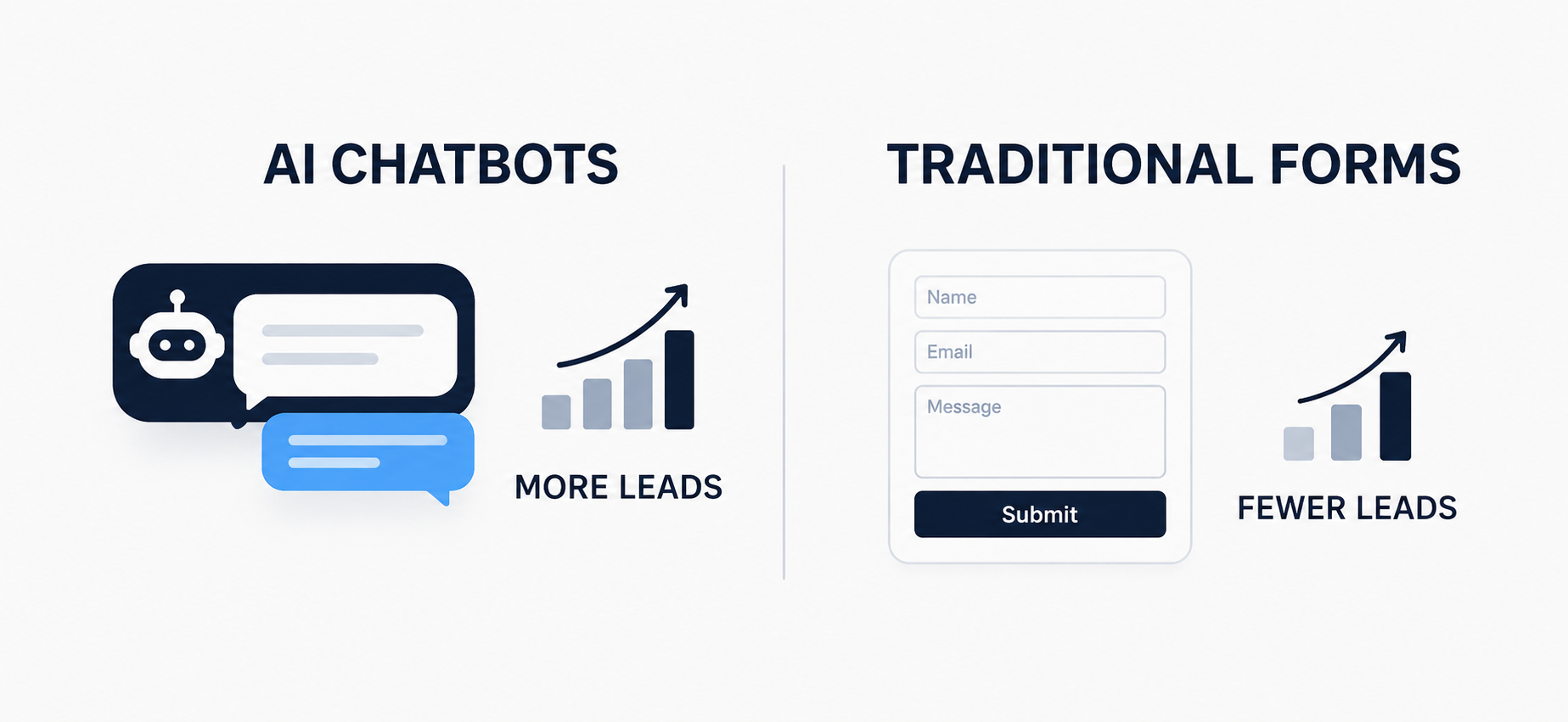
    AI chatbot vs traditional contact form workflow showing how AI chatbots automate lead capture, CRM integration, and follow ups to generate more leads.

    Every website owner wants the same thing. More leads without more effort. For years the contact form was the only real option. Fill in your name, email and message, then wait for a reply. Now AI chatbots are showing up on almost every website you visit. So which one actually brings in more leads for your business? Let us look at this properly, with real examples and real numbers.

    The Problem With Contact Forms

    A contact form only works if the visitor is willing to do all the work. They have to find the form, decide what to write, fill every field and then hit submit with no idea when someone will reply.

    Think about a visitor landing on a service business website. They have a quick question about pricing. Instead of an answer they see a form asking for name, email, phone number and a message box. Most people will simply close the tab and check a competitor instead.

    This is exactly why contact form conversion rates are so low across most industries. On average, only about 2 to 3 percent of website visitors actually complete a contact form. That means out of 100 people visiting your site, 97 or 98 leave without ever reaching out to you.

    There is another issue too. Even when someone does fill out a form, they sometimes enter a fake email or a wrong number just to see what happens next. So the number of usable leads often ends up smaller than the raw form data suggests.

    How AI Chatbots Change the Game

    A chatbot does not wait for the visitor to make the first move. It starts the conversation. It asks a simple question the moment someone lands on the page or shows interest in a product.

    Picture the same service business website, but this time a chat box pops up and asks, “Looking for a quote today?” The visitor types a quick reply. The chatbot asks two or three more questions, collects their name and number, and the whole thing feels like a conversation rather than paperwork.

    This small shift makes a big difference. Studies on chatbot performance consistently show conversion rates of 10 to 15 percent among visitors who engage, sometimes even higher. That is three to five times better than a static form, simply because talking feels easier than filling out fields.

    There is also the time factor. A form only works during the moment someone happens to be on your site, and even then it needs them to take action on their own. A chatbot is available at 2 AM on a Sunday just as easily as at 2 PM on a Monday. Since a large share of website visits happen outside normal business hours, this alone can capture leads that a form would simply miss.

    A Real World Example

    Imagine a real estate website. A visitor is browsing property listings late at night. They are curious about pricing for a specific project but they are not ready to call anyone. A contact form sitting quietly at the bottom of the page will not catch that moment of interest.

    A chatbot can. It can ask about their budget, their preferred location and whether they want a callback. That single conversation becomes a qualified lead sitting in the sales team’s inbox by morning, instead of a visitor who left the site and never came back.

    The same logic applies to online stores, clinics, consultants and almost any service based business. The moment someone shows interest is the moment you want to capture their details, not five minutes later when they have already moved on.

    Take an online clothing store as another example. A shopper adds a kurta to their cart but stops before checkout because they are unsure about the size. A form is not going to help them at that moment. A chatbot can ask their usual size, suggest the right fit and keep them moving toward the purchase instead of losing them to hesitation.

    Where Contact Forms Still Win

    This does not mean forms are useless. Some visitors genuinely prefer typing a detailed message once and moving on, especially for complex enquiries like legal matters, B2B proposals or technical support requests that need attachments or long explanations.

    Forms also work well for people who simply dislike back and forth chatting. Business buyers submitting a formal enquiry, or someone attaching a document, will often choose a form over a chat window. So forms are not dead, they just serve a different type of visitor and a different type of query.

    Cost and Setup


    A basic contact form costs nothing extra and takes minutes to add to any website. A chatbot needs a bit more setup, whether that is a simple rule based bot or a smarter AI powered one connected to your CRM.

    That upfront effort usually pays off. Businesses using chatbots often report a noticeably lower cost per qualified lead over time, since the bot works around the clock without needing a person to reply to every message.

    Which One Should You Actually Use
    The smartest approach is not choosing one over the other. Keep a simple contact form for visitors who prefer it, especially on pages where people submit detailed requests. Then add a chatbot on your homepage, pricing page or product pages where visitors are most likely to have quick questions.

    This combination catches leads at every stage. The chatbot grabs the visitor who is browsing and curious. The form catches the visitor who already knows exactly what they want to say. Together they cover far more ground than either one alone.

    Final Thoughts
    If you are only measuring pure lead volume, AI chatbots win by a clear margin. They respond instantly, feel more personal and capture interest the moment it happens. But traditional contact forms still have a place for visitors who prefer a simple, no chat experience.

    The businesses generating the most leads in 2026 are not the ones picking a side. They are the ones using both tools together, matching the right option to the right visitor at the right moment on their website.


  • Complete SEO Audit Checklist for Beginners: Step-by-Step Guide to Analyze Your Website (Free AI Tool Included)

    Complete SEO Audit Checklist for Beginners: Step-by-Step Guide to Analyze Your Website (Free AI Tool Included)

    Introduction

    If your website is not ranking, the problem is usually not what you think.

    Most beginners focus only on writing content, but ignore the actual issues that stop a website from performing. These issues stay hidden until you run a proper SEO audit.

    This guide will walk you through a complete SEO audit checklist in a simple, step-by-step way. You will learn how to analyze your website, identify problems, and improve your SEO performance without confusion. You can follow the process manually or use a free AI SEO audit tool to speed things up.

    An SEO audit is a detailed analysis of your website to find problems that affect your visibility on search engines.

    It helps you understand what is working, what is broken, and what needs improvement. Without an audit, you are making decisions based on assumptions. With an audit, you are working with clarity.

    Why You Need a Complete SEO Audit

    Many websites fail because basic issues are ignored.

    Some have slow loading speed. Some are not optimized for mobile. Others target the wrong keywords or have weak content. These problems reduce your chances of ranking, even if you are putting in effort.

    A complete SEO audit checklist ensures that you are not missing anything important.

    Step 1: Technical SEO Audit

    Start with the technical side because it is the foundation of your website.

    Check your website loading speed. A slow site leads to poor user experience and lower rankings. Make sure your website is mobile-friendly since most users access websites on their phones.

    Your website should be secure with HTTPS. Look for broken links and fix them because they create a negative experience. Also check if your pages are properly indexed in search engines.

    A strong technical setup makes everything else easier.

    Step 2: On-Page SEO Audit

    On-page SEO helps search engines understand your content clearly.

    Review your title tags and include your main keyword naturally. Write meta descriptions that encourage users to click on your result.

    Structure your headings properly so your content is easy to read. Use your keywords in a natural way within the content. Avoid keyword stuffing because it harms your ranking.

    Check your images and add proper alt text. This improves both accessibility and SEO.

    Step 3: Content Audit

    Content is not just about publishing more pages. It is about creating the right content.

    Check if your content targets relevant keywords. Make sure it matches the intent of users. If someone is searching for a guide, your content should guide them, not just provide basic information.

    Update outdated content and improve weak pages. Compare your content with competitors and make sure yours provides more value.

    Quality always wins over quantity.

    Step 4: Backlink Audit

    Backlinks play a major role in SEO.

    Check how many websites are linking to you and whether those links are high quality. Avoid spammy links because they can harm your website.

    If your website has no backlinks, your growth will be slow. Focus on building links through valuable content and outreach.

    User experience is directly connected to SEO performance.

    A cluttered layout, confusing navigation, and slow design reduce engagement. Users leave quickly, which signals poor quality to search engines.

    UI decisions directly impact your SEO audit results. Heavy images, complex animations, and poorly structured layouts are common issues found during a website SEO audit. These problems slow down your site, increase bounce rates, and reduce rankings.

    A proper SEO audit checklist always includes performance analysis. A good design balances visuals with speed by using optimized images, clean code, and lightweight layouts.

    Step 6: Check Your SEO Performance

    You should also analyze how your website is performing overall.

    Look at your traffic, keyword rankings, and user behavior. Identify which pages are performing well and which are not.

    This helps you focus your efforts on areas that need improvement instead of guessing.

    The Problem With Manual SEO Audits

    A manual SEO audit takes time and requires multiple tools.

    Beginners often get confused with too much data and do not know what to fix first. This leads to incomplete audits and no real progress.

    Use a Free AI SEO Audit Tool

    To simplify the process, you can use a tool that analyzes your website quickly and gives you clear insights.

    Run your free website SEO audit here:
    https://audit.cms.muskanmirza.com/

    This tool helps you identify issues, understand your SEO performance, and take action without going through a complicated process.

    How to Use the Tool

    Enter your website URL into the tool.
    Start the analysis.
    Review the report.
    Fix the issues step by step.

    This gives you a clear direction instead of confusion.

    SEO is not about guessing. It is about identifying problems and fixing them.

    A complete SEO audit checklist gives you a structured way to improve your website. When you understand what is wrong, you can take the right actions.

    You can follow this process manually, or you can make it faster using a free AI SEO audit tool.

  • How to Structure URLs and Categories for SEO in WordPress

    How to Structure URLs and Categories for SEO in WordPress

    Introduction

    A clear URL and category structure helps both users and search engines understand your website. If your structure is messy, Google gets confused and your rankings suffer. Many beginners ignore this and later face indexing and ranking issues. A clean structure improves crawlability, user experience, and overall SEO performance.

    A URL is not just a link. It gives information about the page.

    Good URLs help:
    Clear understanding of content
    Better click through rate
    Easy sharing and readability

    Bad URLs look like this:
    example.com/p123?id=45

    Good URLs look like this:
    example.com/seo-tips-for-beginners

    Simple rule: keep URLs short, readable, and meaningful.

    Best URL Structure in WordPress

    In WordPress, you can control URLs using permalinks.

    Go to Settings → Permalinks and select:
    Post name

    This creates clean URLs like:
    example.com/your-post-title

    Avoid using:
    Dates
    Numbers
    Random characters

    Because they make URLs long and confusing.

    Use Keywords in URLs

    Your URL should include your main keyword.

    Example:
    If your topic is WordPress SEO tips
    Use: example.com/wordpress-seo-tips

    Do not stuff keywords. Keep it natural and simple.

    Keep URLs Short and Clean

    Long URLs reduce readability.

    Bad example:
    example.com/how-to-learn-seo-in-2026-with-complete-guide-for-beginners

    Better example:
    example.com/learn-seo

    Short URLs are easier to remember and perform better.

    Understanding Categories in WordPress

    Categories help organize your content. They also create a structure for your website.

    Example structure:
    Home → SEO → On Page SEO

    Each category should represent a main topic.

    Do not create too many categories. Keep them limited and focused.

    How to Create SEO Friendly Categories

    Use clear and simple names
    Use keywords where relevant
    Avoid duplicate or similar categories

    Bad example:
    SEO tips
    SEO guide
    SEO tricks

    This creates confusion.

    Better example:
    SEO
    Content Marketing
    WordPress

    Each category should have a clear purpose.

    Use Category in URL or Not

    WordPress allows URLs like:
    example.com/category/post-name

    or
    example.com/post-name

    For beginners, it is better to use:
    example.com/post-name

    It is cleaner and avoids unnecessary length.

    Use categories mainly for structure, not for URL complexity.

    Avoid Duplicate Content Issues

    WordPress can create duplicate pages through:
    Categories
    Tags
    Archives

    This confuses search engines.

    Solution:
    Do not overuse tags
    Use canonical URLs
    Focus on one main version of a page

    Internal Linking with Categories

    Categories help in internal linking.

    Link related posts within the same category.
    This improves navigation and helps search engines crawl your site better.

    Example:
    If you write about SEO, link all SEO articles together.

    Common Mistakes to Avoid

    Changing URL after publishing without redirect
    Using too many categories
    Creating long and messy URLs
    Using dates in URLs
    Ignoring keyword relevance

    These mistakes harm SEO.

    Conclusion

    A strong URL and category structure is the base of good SEO. Keep everything simple, clear, and organized. Do not overcomplicate. Focus on user understanding and search engine clarity. If your structure is clean, your website becomes easier to crawl, index, and rank.

  • From Design to Ranking How UI and SEO Work Together in Real Projects

    From Design to Ranking How UI and SEO Work Together in Real Projects

    “UI and SEO workflow diagram showing steps from user intent and design to optimization, user engagement, and business growth”

    Many people treat UI design and SEO as two separate things. Designers focus on how the website looks while SEO focuses on rankings and traffic. In real projects this approach does not work. A website that looks good but performs poorly will not rank well. A website that is optimized for search but difficult to use will not convert users. Both need to work together.

    Why UI and SEO are connected

    Search engines are not only reading your content. They are also measuring how users interact with your website. If users leave quickly, do not click, or struggle to navigate, it sends negative signals. Good UI improves user experience and that directly supports SEO performance.

    First impression and engagement

    The design of your website creates the first impression. Clean layout, readable text, and proper spacing make users stay longer. When users spend more time on your site, it increases engagement. This helps reduce bounce rate and improves overall site quality signals.

    Page speed and performance

    UI decisions directly impact your SEO audit performance and results. Heavy images, complex animations, and poorly structured layouts are common issues found during a website SEO audit. These problems slow down your site, increase bounce rates, and negatively affect rankings.

    A proper SEO audit checklist always includes performance analysis because speed is a critical ranking factor. A good design is not just about visuals, it must balance design with performance. Using optimized images, clean code, and lightweight layouts improves loading speed, enhances user experience, and strengthens your overall SEO performance.

    Mobile responsiveness

    Most users visit websites on mobile devices. If your design is not responsive, users will leave. Search engines also prioritize mobile-friendly websites. A responsive UI ensures that your content is accessible and easy to use on all screen sizes.

    Navigation and structure

    Good UI makes navigation simple and clear. Users should find what they are looking for without confusion. Clear menus, logical page structure, and internal linking help users move through the site easily. This also helps search engines understand your website better.

    Content readability

    Even the best content will fail if it is hard to read. UI plays a big role in content presentation. Proper headings, font size, spacing, and contrast improve readability. When users can easily scan and understand content, they are more likely to stay and interact.

    Conversion and user journey

    SEO brings users to your website, but UI turns them into customers. Clear buttons, simple forms, and proper call to action guide users toward taking action. A strong user journey improves conversions and makes your website more effective.

    Conclusion

    UI and SEO are not separate parts of a website. They work together to create a complete experience. A successful website is not just about ranking or design alone. It is about combining both to attract users, keep them engaged, and guide them toward action.

  • How Backlinks Improve Domain Rating (DR): A Practical Guide

    How Backlinks Improve Domain Rating (DR): A Practical Guide

    Introduction

    Domain Rating (DR) is a metric that shows the strength of your website’s backlink profile. It is commonly measured by tools like Ahrefs.

    Many beginners believe that creating more backlinks automatically increases DR. This is incorrect. DR improves only when your website earns high-quality, relevant, and authoritative backlinks.

    This guide explains how backlinks actually influence DR and what you should do to improve it.

    What is Domain Rating (DR)

    Domain Rating is a score from 0 to 100 that measures the strength of your website’s backlink profile.

    It is based on:

    • Number of referring domains
    • Authority of linking websites
    • Quality and relevance of backlinks

    Important point:
    DR is not a Google ranking factor, but it reflects your overall link authority, which indirectly impacts rankings.

    How Backlinks Improve Domain Rating

    1. High Authority Links Pass More Value

    Backlinks from high-authority websites contribute more to your DR.

    Examples:

    Established blogs
    News websites
    Niche authority sites

    One strong backlink can be more valuable than 50 weak ones.

    2. Referring Domains Matter More Than Quantity

    Getting links from different websites is more powerful than getting multiple links from the same site.

    For example:

    • 10 backlinks from 10 websites = strong signal
    • 10 backlinks from 1 website = weak signal

    Focus on increasing unique referring domains.

    3. Link Equity Distribution

    When a high-DR website links to you, it passes “link equity.”

    This equity strengthens your domain’s overall authority.

    However:

    • If that website links to too many sites, the value passed is reduced
    • Contextual links (within content) pass more value than footer or sidebar links

    4. Relevance of Backlinks

    Backlinks from relevant websites improve DR more effectively.

    Example:

    • SEO blog linking to your SEO website = strong
    • unrelated niche linking = weaker impact

    Search engines and tools value topical relevance.

    5. Dofollow vs Nofollow Links

    Only dofollow backlinks significantly contribute to DR.

    • Dofollow links pass authority
    • Nofollow links do not pass strong link equity

    However, a natural backlink profile should include both.

    6. Anchor Text Signals

    Anchor text helps search engines understand the context of your page.

    Best practice:

    • Use natural anchor text
    • Avoid over-optimization

    Example:

    • “SEO portfolio” is better than repeating exact keywords unnaturally

    Types of Backlinks That Increase DR

    Focus on these:

    • Guest posts on niche websites
    • Editorial backlinks from blogs
    • Business directories with authority
    • Niche-specific citations
    • Contextual links within articles

    Avoid:

    • spammy directories
    • paid low-quality links
    • automated backlink tools

    Common Mistakes That Stop DR Growth

    Many websites fail to increase DR because of these mistakes:

    • Building too many low-quality backlinks
    • Getting links from irrelevant sites
    • Ignoring referring domains diversity
    • Using spammy link-building tools
    • No content worth linking to

    Practical Strategy to Improve DR

    Follow this approach:

    Step 1: Create Linkable Content

    • Write useful, practical blogs
    • Share real experience and case studies

    Step 2: Outreach

    • Contact website owners
    • Offer guest posts or collaborations

    Step 3: Directory and Citation Building

    • Submit your website to trusted directories
    • Focus on quality, not quantity

    Step 4: Monitor Backlinks

    Use tools like:

    • Ahrefs
    • Google Search Console

    Track:

    • new backlinks
    • lost backlinks
    • referring domains

    Conclusion

    Backlinks improve Domain Rating when they are:

    • high quality
    • relevant
    • from unique domains

    DR does not increase with random link building. It grows when your website earns authority through strategic and natural backlinks.

    If your goal is long-term SEO growth, focus on building fewer but stronger backlinks rather than chasing numbers.

  • Local SEO Citations Guide for Better Google Rankings What are local citations

    Local SEO Citations Guide for Better Google Rankings What are local citations

    Introduction

    Local citations are online mentions of your business name address and phone number on different websites. These can be business directories social platforms maps and listing sites. They help search engines understand that your business is real and trustworthy.

    If your business information is consistent across all platforms Google gets confidence in your business. This improves your chances of ranking higher in local search results and maps.

    Why local citations matter

    Local citations are one of the key ranking factors in local SEO. When your business appears on multiple trusted websites it sends a strong signal to search engines. It shows that your business is active and verified.

    Citations also help customers discover your business. Many people search directly on directories instead of Google. If your business is not listed you are losing potential traffic and customers.

    Types of local citations

    There are two main types of citations

    1-Structured citations
    These appear on business listing websites like directories where your details are added in a proper format.

    2-Unstructured citations
    These appear on blogs news websites or social media where your business is mentioned naturally in content.

    Both types are useful and should be part of your strategy.

    Important elements of a citation

    For strong local SEO your business information must be accurate and consistent. Focus on these key details

    1-Business name
    2-Address
    3-Phone number
    4-Website URL
    5-Business category
    6-Working hours

    Even small mistakes like different spellings or wrong phone numbers can confuse search engines and reduce your rankings.

    How to build local citations

    Start by creating listings on popular business directories. Add your complete and correct information. Use the same format everywhere.

    Next focus on niche specific directories related to your industry. For example if you run a salon list your business on beauty related websites.

    You should also get listed on local directories related to your city or area. This helps you target local customers more effectively.

    Tips to improve citation quality

    Do not create citations randomly. Focus on quality over quantity.

    Choose trusted and high authority websites
    Avoid duplicate listings
    Update your information regularly
    Add images and descriptions to make your listing attractive

    Also track your citations to make sure they are live and accurate.

    Common mistakes to avoid

    Many beginners make simple mistakes that harm their SEO

    Using different business names on different sites
    Entering wrong or outdated contact details
    Ignoring duplicate listings
    Not updating business information after changes

    Fixing these mistakes can quickly improve your local SEO performance.

    Final thoughts

    Local citations are a simple but powerful way to improve your online visibility. If done correctly they can increase your rankings bring more traffic and generate more customers.

    Focus on consistency accuracy and quality. Build your citations step by step and keep them updated. This is not a one time task but an ongoing process that gives long term results.

  • WordPress Theme vs Custom Design: What Should You Choose?

    WordPress Theme vs Custom Design: What Should You Choose?

    [et_pb_section fb_built=”1″ admin_label=”section” _builder_version=”4.27.5″ background_color=”#000000″ width=”100%” global_colors_info=”{}” theme_builder_area=”post_content”][et_pb_row admin_label=”row” _builder_version=”4.27.5″ background_enable_color=”off” background_size=”initial” background_position=”top_left” background_repeat=”repeat” width=”90%” global_colors_info=”{}” theme_builder_area=”post_content”][et_pb_column type=”4_4″ _builder_version=”4.16″ custom_padding=”|||” global_colors_info=”{}” custom_padding__hover=”|||” theme_builder_area=”post_content”][et_pb_text admin_label=”Text” _builder_version=”4.16″ background_size=”initial” background_position=”top_left” background_repeat=”repeat” global_colors_info=”{}” theme_builder_area=”post_content”]

    When building a WordPress website, one of the biggest decisions you’ll face is whether to use a pre-built theme or invest in a custom design. Both options can create a professional website, but they serve different needs. The right choice depends on your goals, budget, and how much flexibility you want in the future.

    What Is a WordPress Theme?

    A WordPress theme is a ready-made design template that controls how your website looks and feels. Thousands of free and premium themes are available, and many of them can be installed in just a few clicks.Themes are ideal for beginners and small businesses because they are fast to set up and cost-effective. Most modern themes come with built-in customization options, page builders, and demo layouts. This allows you to launch a website quickly without needing advanced technical skills.

    However, themes also have limitations. Since they are built for a wide audience, they may include features you don’t need, which can slow down your website. Customization is possible, but you are still working within the theme’s structure. If you want a highly unique design or advanced functionality, a theme might feel restrictive.

    What Is Custom WordPress Design?

    Custom WordPress design involves building a website specifically for your brand and requirements. Instead of adapting to a pre-built template, developers create layouts, features, and functions from scratch.The biggest advantage of custom design is flexibility. You can design every element to match your brand identity and user experience goals. Custom websites are often cleaner, faster, and more scalable because they include only the features you actually need.

    The downside is cost and time. Custom design requires more planning, development work, and technical expertise. It is usually more expensive than using a pre-built theme and takes longer to launch.

    Key Differences to Consider

    The main differences between themes and custom design come down to speed, cost, and control.If you need a website quickly and have a limited budget, a quality WordPress theme is a practical solution. It allows you to get online fast and start building your presence.If your website is a long-term investment and plays a critical role in your business, custom design offers greater control and performance. It is especially useful for businesses that need unique features or want a strong brand identity.

    Which Option Is Right for You?
    There is no universal answer. For personal blogs, small businesses, and startups, a well-optimized theme is often more than enough. It provides a professional look without heavy development costs.For larger businesses or brands that require advanced customization and scalability, custom design is usually the better choice. It gives you full ownership of your website’s structure and future growth.


    Conclusion

    Choosing between a WordPress theme and custom design is about balancing convenience and control. Themes are fast, affordable, and beginner-friendly, while custom design offers flexibility and long-term performance. By understanding your goals and resources, you can select the option that supports your website’s success.

    [/et_pb_text][/et_pb_column][/et_pb_row][/et_pb_section]
  • How to Create a High-Converting PPC Campaign Step by Step

    How to Create a High-Converting PPC Campaign Step by Step

    [et_pb_section fb_built=”1″ admin_label=”section” _builder_version=”4.27.5″ background_color=”#000000″ global_colors_info=”{}” theme_builder_area=”post_content”][et_pb_row admin_label=”row” _builder_version=”4.27.5″ background_enable_color=”off” background_size=”initial” background_position=”top_left” background_repeat=”repeat” width=”90%” global_colors_info=”{}” theme_builder_area=”post_content”][et_pb_column type=”4_4″ _builder_version=”4.16″ custom_padding=”|||” global_colors_info=”{}” custom_padding__hover=”|||” theme_builder_area=”post_content”][et_pb_text admin_label=”Text” _builder_version=”4.16″ background_size=”initial” background_position=”top_left” background_repeat=”repeat” global_colors_info=”{}” theme_builder_area=”post_content”]

    Pay-per-click (PPC) advertising is one of the fastest ways to bring targeted traffic to your website. But simply running ads is not enough. A successful PPC campaign needs planning, strategy, and constant improvement. If you want better conversions and a higher return on investment, follow these step-by-step guidelines.

    Step 1: Define Your Goal Clearly

    Before creating any campaign, decide what you want to achieve. Your goal could be generating leads, increasing sales, or driving website traffic. A clear goal helps you choose the right keywords, audience, and ad format. Without a goal, your campaign becomes random and wastes money.

    Step 2: Research the Right Keywords

    Keyword research is the foundation of PPC success. Focus on keywords that match user intent and are relevant to your product or service. Use tools like Google Keyword Planner to find keywords with good search volume and reasonable competition. Include a mix of high-intent and long-tail keywords to reach the right audience.

    Step 3: Create Targeted Ad Groups
    Organize your keywords into small, focused ad groups. Each group should target a specific theme or product. This improves ad relevance and increases your quality score. When your ads closely match user searches, people are more likely to click and convert.

    Step 4: Write Compelling Ad Copy

    Your ad copy must grab attention and clearly explain your offer. Highlight benefits, not just features. Use strong call-to-action phrases like “Get Started Today,” “Try for Free,” or “Book Now.” Make sure your ad copy matches the landing page content to build trust and avoid confusion.

    Step 5: Optimize Your Landing Page

    Sending traffic to a weak landing page is a common mistake. Your landing page should be simple, fast, and focused on one main action. Use clear headlines, persuasive content, and visible call-to-action buttons. A good landing page increases conversions and lowers your cost per click.

    Step 6: Set a Smart Budget and Bidding Strategy

    Start with a realistic budget and monitor performance closely. Choose a bidding strategy that aligns with your goal, such as maximizing conversions or clicks. Avoid spending too much at the beginning. Test small, learn from the data, and scale what works.

    Step 7: Track and Improve Performance

    PPC campaigns require constant monitoring. Use analytics tools to track clicks, conversions, and costs. Identify which keywords and ads perform best. Pause low-performing elements and invest more in successful ones. Regular testing and optimization are key to long-term success.

    Conclusion

    Creating a high-converting PPC campaign is not about luck. It’s about strategy, testing, and continuous improvement. By setting clear goals, targeting the right audience, and optimizing every step of the process, you can run PPC campaigns that deliver real business results.

    [/et_pb_text][/et_pb_column][/et_pb_row][/et_pb_section]
  • My Step by step process of doing keyword Research

    My Step by step process of doing keyword Research

    [et_pb_section fb_built=”1″ admin_label=”section” _builder_version=”4.27.5″ background_color=”#000000″ global_colors_info=”{}” theme_builder_area=”post_content”][et_pb_row admin_label=”row” _builder_version=”4.27.5″ background_enable_color=”off” background_size=”initial” background_position=”top_left” background_repeat=”repeat” width=”100%” hover_enabled=”0″ global_colors_info=”{}” theme_builder_area=”post_content” sticky_enabled=”0″][et_pb_column type=”4_4″ _builder_version=”4.16″ custom_padding=”|||” global_colors_info=”{}” custom_padding__hover=”|||” theme_builder_area=”post_content”][et_pb_text admin_label=”Text” _builder_version=”4.27.5″ header_font=”Montserrat||||||||” background_size=”initial” background_position=”top_left” background_repeat=”repeat” hover_enabled=”0″ global_colors_info=”{}” theme_builder_area=”post_content” sticky_enabled=”0″]

    Keyword research is the heart of SEO.If you choose the right keywords, your content ranks faster, reaches the right audience, and brings real results.Here is my simple and effective step-by-step process that I personally follow for every project.
    If you choose the right keywords, your content ranks faster, reaches the right audience, and brings real results.
    Here is my simple and effective step-by-step process that I personally follow for every project.

    Here is my simple and effective step-by-step process that I personally follow for every project.
    If you choose the right keywords, your content ranks faster, reaches the right audience, and brings real results.
    Here is my simple and effective step-by-step process that I personally follow for every project.

    When I know who I’m writing for, it becomes easier to find the right keywords.

    2. Create a List of Seed Keywords
    Seed keywords are the basic words related to your niche.
    For example:


        • digital marketing

        • SEO services

        • skin care products

        • gym workouts

      These simple words help me explore deeper keyword ideas.

      3. Use Keyword Research Tools
      Once I have seed keywords, I put them into tools like:


          • Google Keyword Planner

          • Ubersuggest

          • SEMrush

          • Ahrefs

          • AnswerThePublic

        These tools show me:

        ✔ Search volume
        ✔ Competition level
        ✔ Related keywords
        ✔ Question keywords
        ✔ Long-tail variations

        This gives me a clear idea of what people are actually searching.


            • “best SEO tools for beginners”

            • “how to increase website traffic fast”

            • “affordable digital marketing services in India”

          These are easier to rank for and bring more targeted traffic.

          I always select a mix of long-tail and medium-competition keywords.

          5. Analyze Search Intent
          There are 4 types:


              • Informational – user wants knowledge (e.g., “what is SEO”)

              • Commercial – user is comparing options (e.g., “best SEO tools”)

              • Transactional – user wants to buy (e.g., “seo service pricing”)

              • Navigational – user wants a specific site (e.g., “instagram login”)

            I always match the content type with the right intent.

            6. Check What Competitors Are Ranking For

            I open Google and look at:


                • Top-ranking articles

                • Their headings

                • Their keyword usage

                • What questions they answer

                • Content gaps

              This helps me create something better than competitors.

              7. Select the Main Keyword + Supporting Keywords

              At this stage, I finalize:


                  • Primary keyword (main topic)

                  • Secondary keywords (related terms)

                  • LSI keywords (natural variations)
                    This helps me write content that feels natural and ranks organically.
                    8. Create a Content Outline
                    Before writing, I design a structure:
                    H1 (main heading)
                    H2 + H3 subheadings
                    Questions to answer
                    Important points to cover
                    This keeps my content organized and SEO-friendly.9. Write Helpful, Human Content
                    Once the outline is ready, I start writing in a tone that is:
                    ✔ Simple
                    ✔ Helpful
                    ✔ Easy to understand
                    ✔ Real and not robotic
                    I focus on solving the user’s problem — not stuffing keywords.10. Optimize the Content
                    After writing, I do basic on-page SEO:
                    Add keywords naturally
                    Use images with alt text
                    Add internal links
                    Add external links
                    Include FAQs
                    Optimize meta title & description
                    This strengthens the chances of ranking.

                    11. Track the Keyword Performance
                    After publishing, I track:
                    Impressions
                    Clicks
                    Ranking positions
                    User behavior
                    Based on the data, I update the content when needed.

                    Conclusion
                    Keyword research is not about finding “high search volume words.”
                    It’s about understanding the audience and choosing topics that genuinely help them.
                    This simple step-by-step process allows me to create content that ranks, converts, and builds trust and
                    If you want to see how content impacts SEO, check out my blog: Why Content Marketing Is Important

                [/et_pb_text][/et_pb_column][/et_pb_row][/et_pb_section]